Every feature,
written down.
Locium is built for real estate media companies. This page lists what is in it, across the staff, client and provider portals and the AI tools, without hiding anything behind "contact sales".





The content your agency produces. The platform that manages every job.
The features that define Locium
Order & Booking Management
The whole order lifecycle: a staff wizard, client self-service and add-ons offered at checkout.
- •Staff multi-step booking wizard with service selector
- •Client self-service booking with upsell flow
- •Multi-service orders (photos + video + floorplan in one booking)
- •Custom package builder per agency
- •Order status tracking with automated transitions
- •Client & agent address auto-complete via Google Maps
- •Property details, access notes & gate codes on every job
- •Internal order notes & staff comments
- •Order history & audit trail
- •Bulk order management view
- •Order search, filter & sort
- •Teams on bookings: book one agent and the whole team gets the invite, the updates and the finished mediaNew
- •Calendar invites (.ics) to everyone on the job, kept up to date when the time changes
- •Pre-shoot intake forms: lockbox codes, parking, pets and access details collected before the shoot
- •Public booking page for guests, at your own shareable link
- •Non-time-based products (virtual staging, 3D conversions) that add no on-site time to the appointment
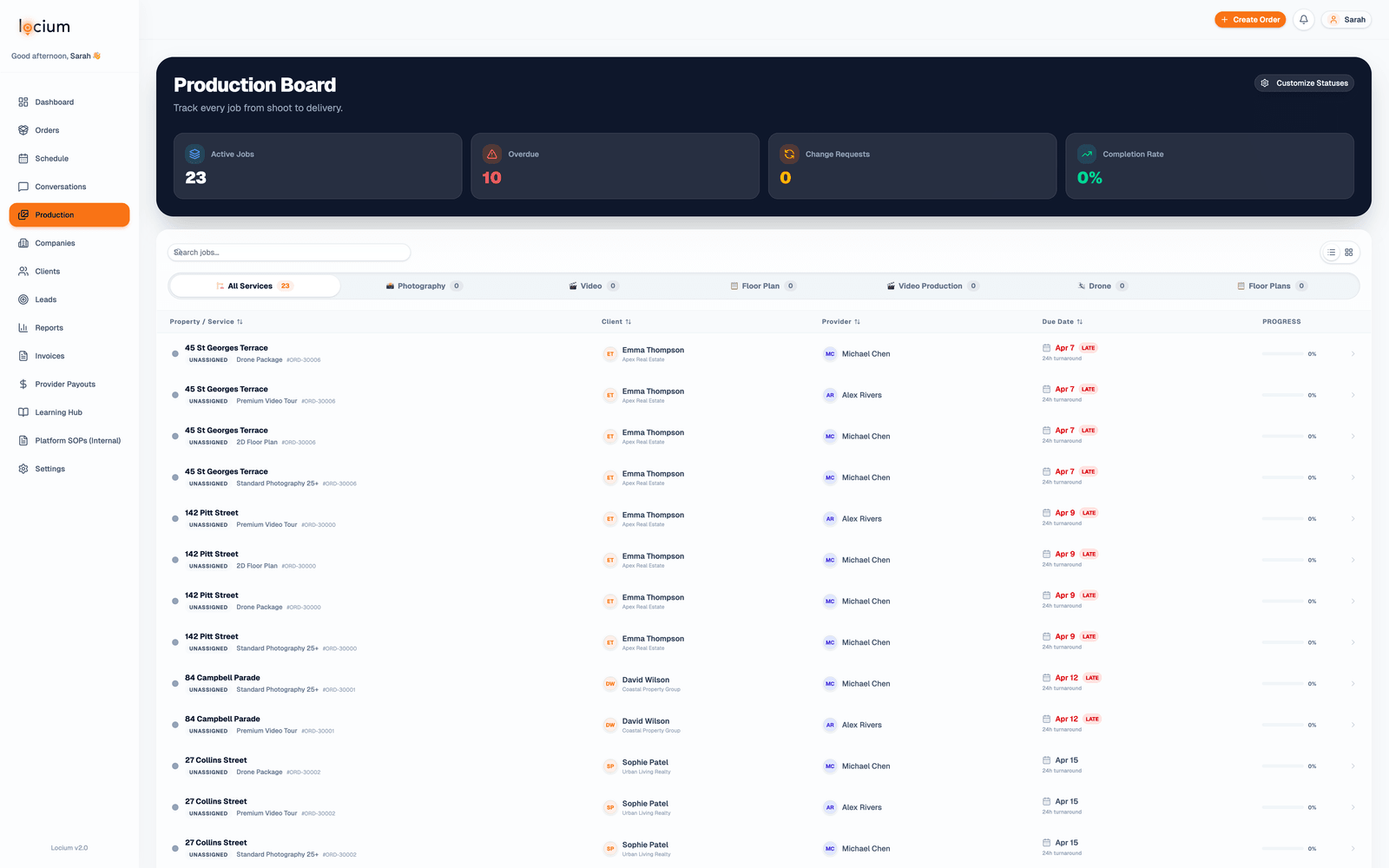
Production Board & Workflow
A visual pipeline that tracks every job from shoot to final delivery.
- •Kanban-style production board with drag-and-drop
- •Custom status definitions per service type
- •Automated status transitions on file upload
- •Post-production queue management
- •Per-job media editing hub with isolated upload zones
- •Sub-contractor / overseas editor portals (view-only access)
- •Revision flagging & quality control workflow
- •Production bottleneck detection
- •Per-service-type pipeline tracking (photo, video, floor plan)
- •Skill-based job routing and dispatch rules
- •Custom raw folders per order (BRAW, Proxies, Drone…), shared with your editorsNew
- •Video review loop: change notes move the job to a Changes Requested lane, alert the editor, and land the new cut back in review
- •Editor dashboards with turnaround countdowns on every job
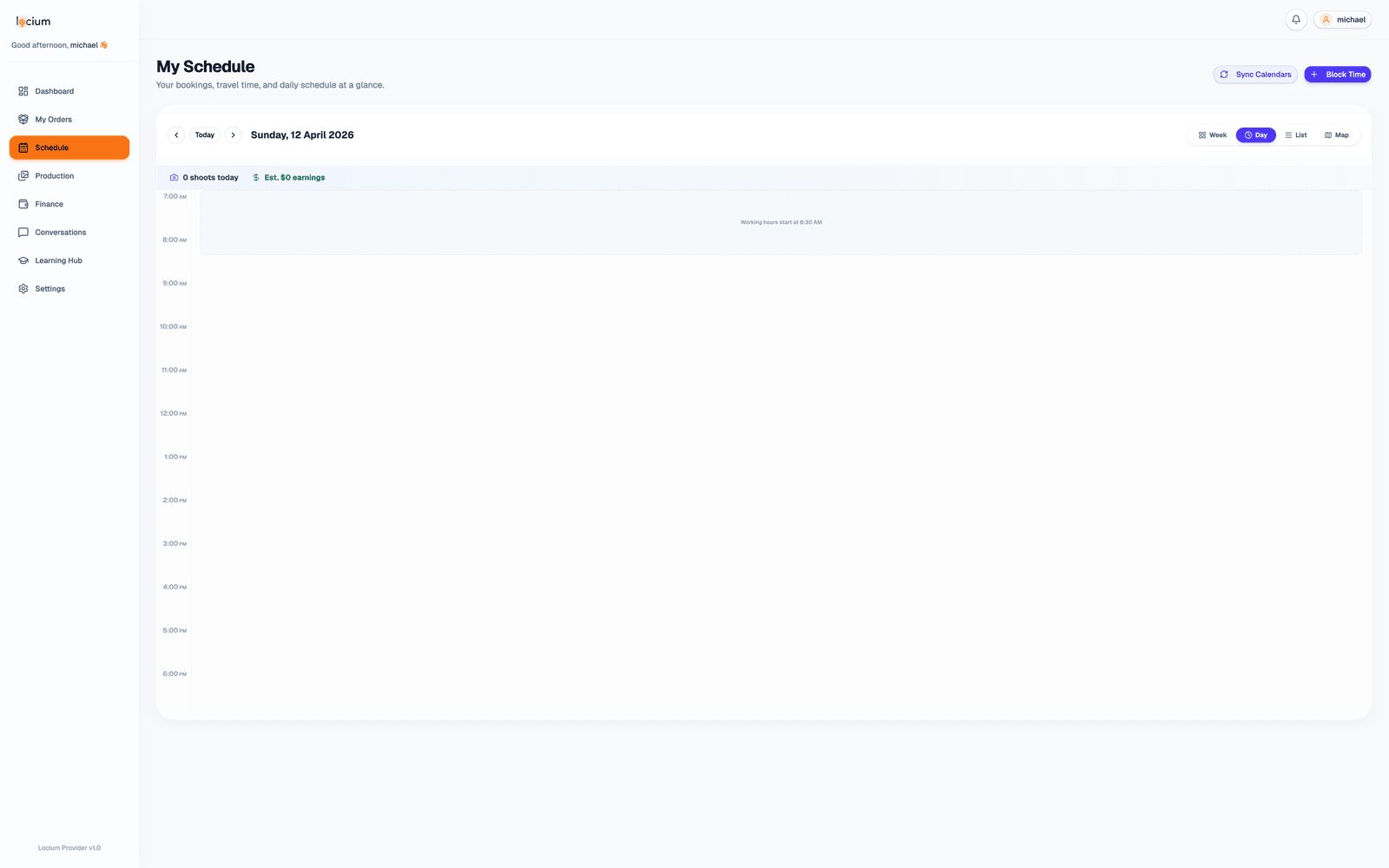
Smart Scheduling & Day Planner
A calendar built for real estate media: one-tap route optimisation on real road routes, with travel time, shooter skills and twilight all accounted for.
- •Map view on the calendar: every job for the day plotted on a live route mapNew
- •Order quick panel: click any booking to reschedule, reassign the photographer or update item statuses without leaving the calendarNew
- •Assignment strategies: priority shooter with a weekly revenue target, even round-robin rotation, or daily/weekly booking caps per personNew
- •Booking slots checked against the real drive from the previous job, so clients can never book a time your shooter can't makeNew
- •Day Planner: a drag-and-drop route builder with one-tap "Optimise day"New
- •Real road routes on every map, so drive times are exact rather than straight-line guessesNew
- •Client-approved time changes by SMS or email link; nothing moves without a yesNew
- •Provider mobile Route view with one-tap Google Maps navigationNew
- •Confirmed bookings stay locked, and the optimiser plans around them
- •Google Maps Distance Matrix travel time buffers
- •Skill-based provider assignment (FAA drone, Matterport, etc.)
- •Twilight & golden hour detection based on property coordinates
- •Real-time conflict detection and resolution
- •Zone-based routing to keep photographers localized
- •Routes start from the provider's home address
- •Automatic DST and seasonal adjustment for sunset times
- •Provider availability blocking & time-off management
- •Calendar view for staff (day / week / month)
- •Provider daily schedule with job details & gate codes
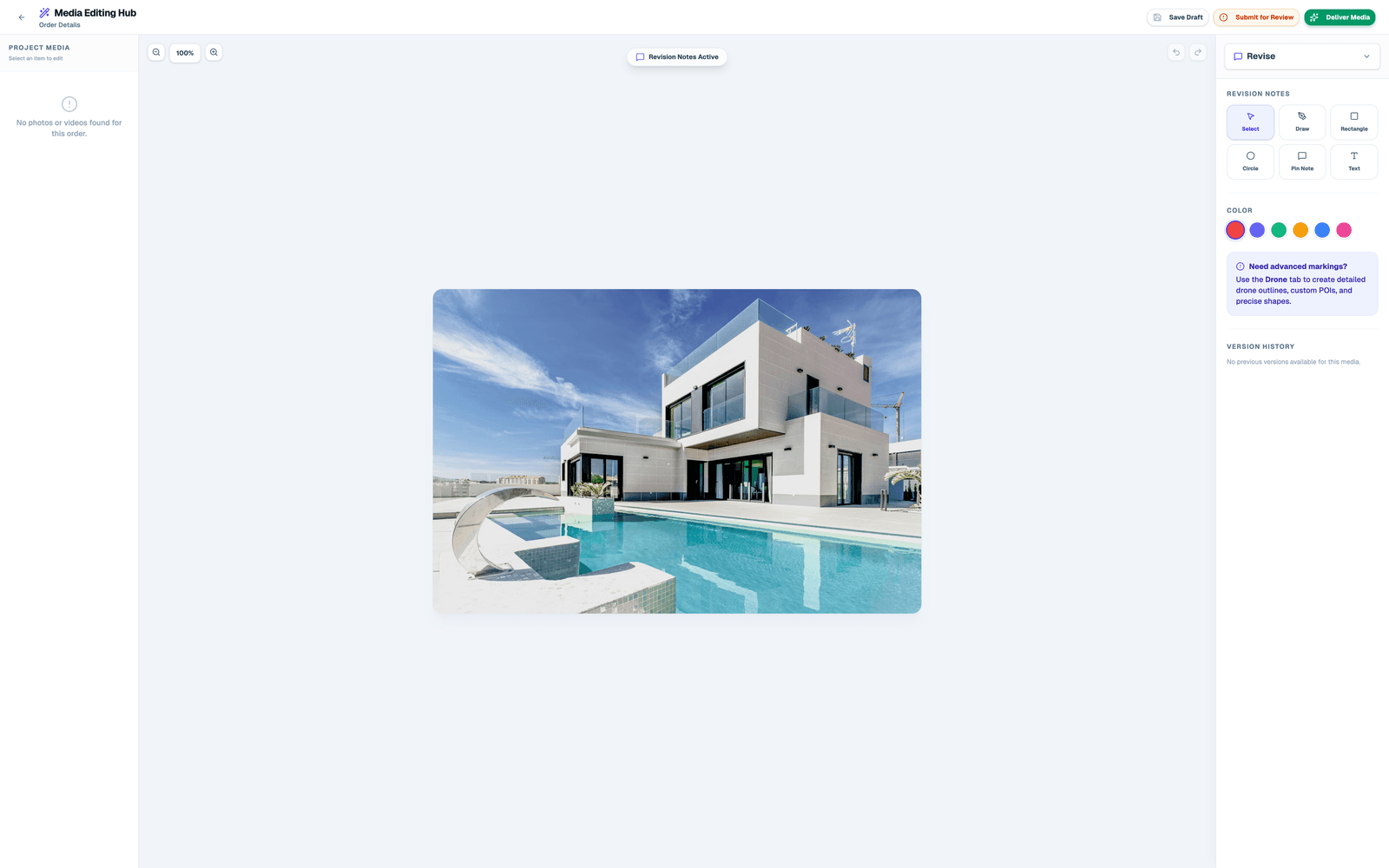
Media Delivery & Revision Editor
A white-labelled delivery portal with Frame.io-style revision tools built in.
- •Passwordless tokenized delivery links (no login required for agents)
- •White-labeled branded delivery portal per agency
- •X/Y coordinate photo pin-drop revision requests
- •Video timeline commenting (Frame.io style)
- •Revision requests sync directly to production board
- •1-click download: Print Quality (high-res) and MLS Optimized (web)
- •Automatic image resizing for MLS vs print formats
- •Invoice gates that hold the download until payment lands
- •Delivery email with branded HTML template
- •Property website preview with custom URL
- •Video QC gate: a video waits for your approval before a client can ever see itNew
- •Video versioning: a re-upload becomes v2 of the same file, with every earlier cut kept
- •Full-resolution or web-sized downloads on every delivery screen, with your own web size limit
- •Vendors download from the listing link you send them — no account needed
- •Pick any edited photo as the order's hero image, or let it choose automatically
- •Client Edit Hub: self-service change requests on delivered photos and videos
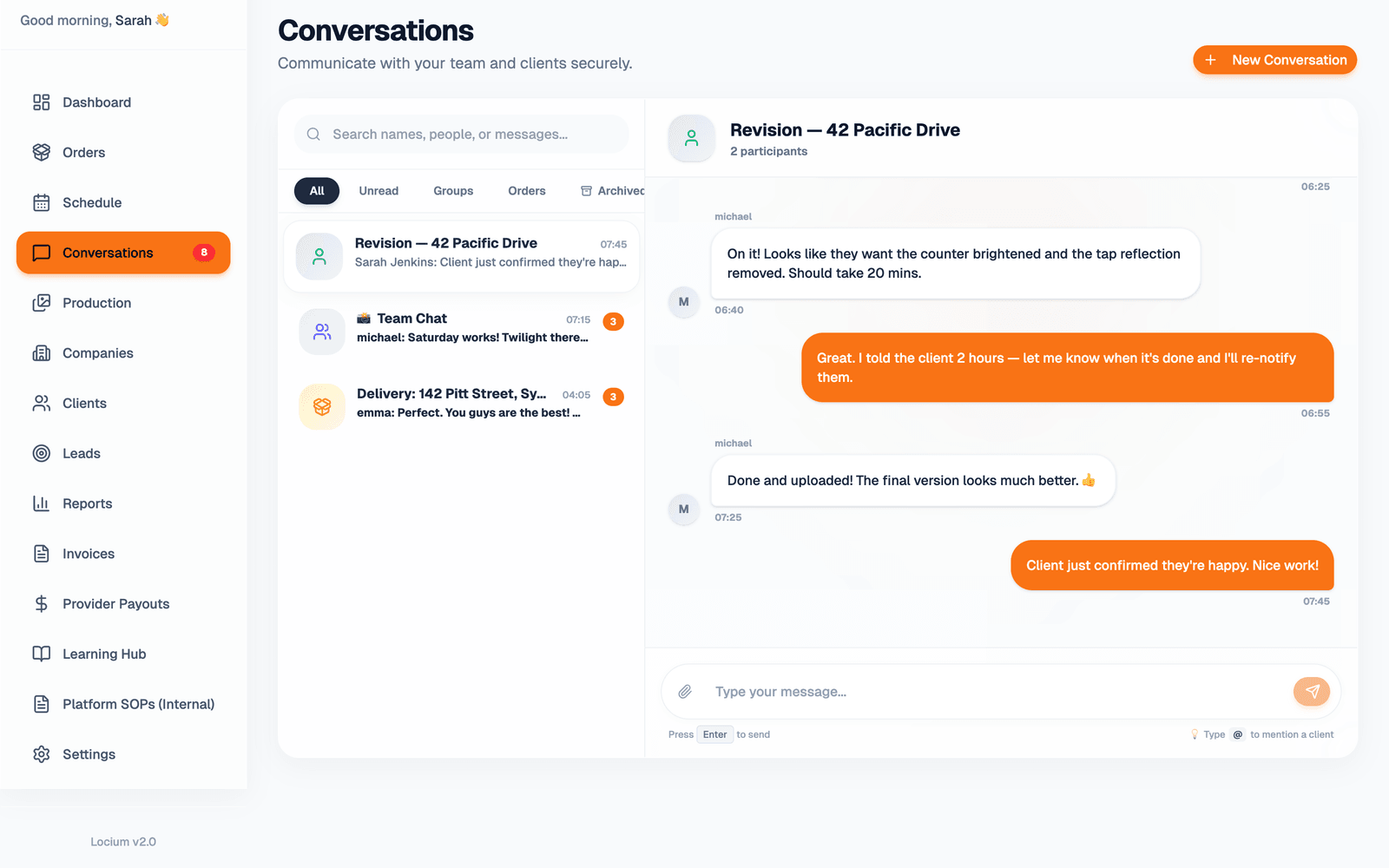
Conversations & Messaging
Staff, photographers and clients all talk in one place, inside Locium.
- •Dedicated inbox for staff with unread badge counts
- •Client portal messages, so agents chat directly with your team
- •Internal team & group chats for staff + photographers
- •Order-linked threads, tying a conversation to one specific shoot
- •Direct 1-on-1 messaging between any two users
- •Full-text search across all conversations and messages
- •Archive threads to keep the inbox clean
- •@mention support to tag teammates mid-thread
- •Messages arrive live, with no page refresh
- •Edit your own messages while unread, or delete them for everyoneNew
- •Thread filters split Chat from Change requests and Notifications, so updates never bury the conversation
- •Order activity log: status changes and system events recorded on the order's own thread
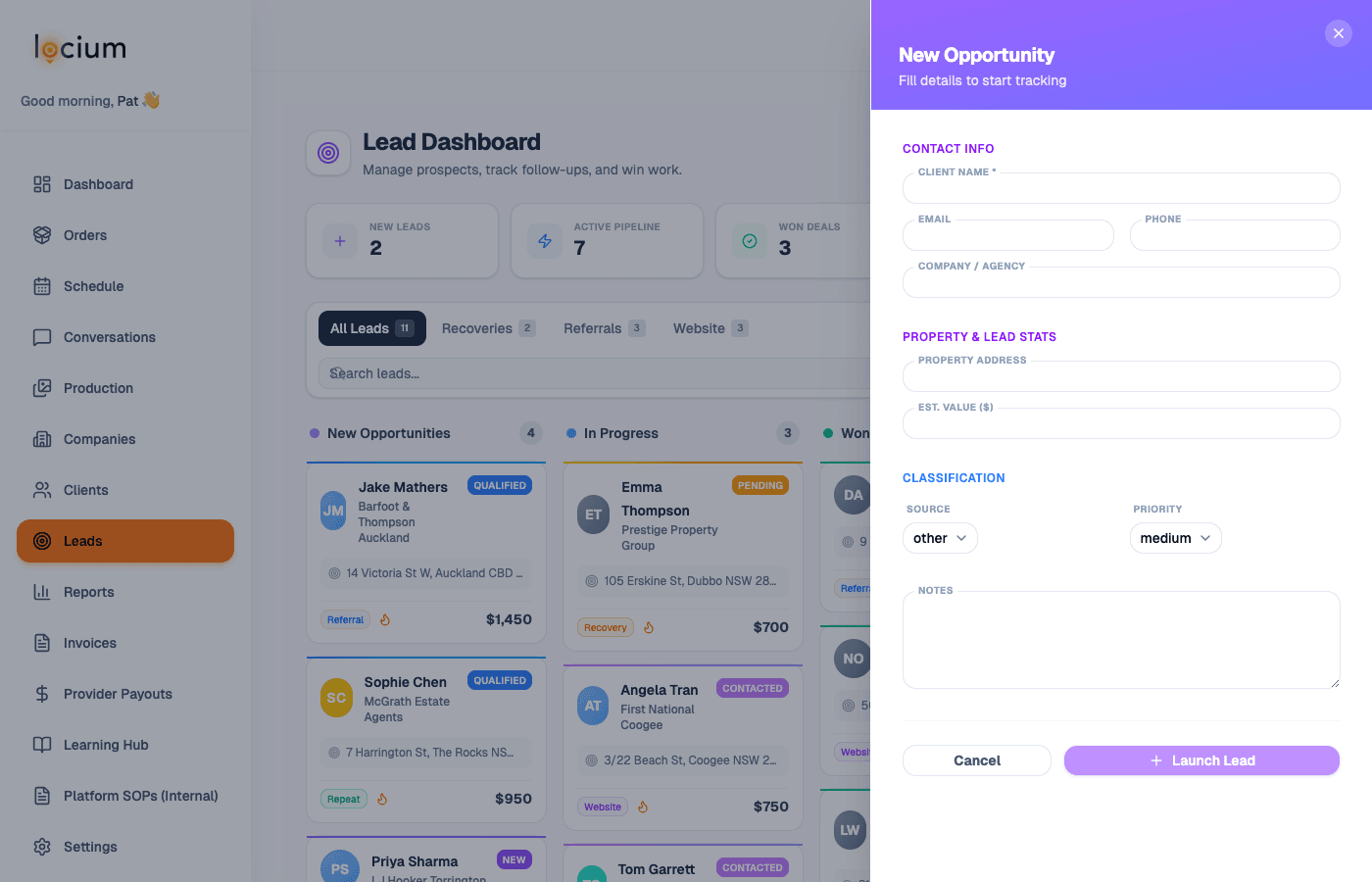
Lead Management & Auto Follow-up
A pipeline for inbound leads, plus automated sequences that chase cancellations back.
- •Lead pipeline with New, Contacted, Quoted, Booked and Won/Lost stages
- •Multi-source lead capture (website, GHL, phone, referral)
- •Source attribution and conversion rate tracking
- •Automated cancellation recovery email + SMS sequences
- •Configurable follow-up delay schedule (Day 1, 3, 7, 14)
- •Personalised win-back messages with property & service details
- •Optional discount / priority re-booking incentive in sequence
- •Open & click tracking per recovery sequence
- •GoHighLevel webhooks, so Locium events can trigger GHL campaigns
- •Zapier fallback for non-GHL agencies
Finance, Billing & Payouts
Invoicing, provider payouts, wallets and subscriptions in one back office.
- •Automated invoice generation on order completion
- •Stripe native payment processing (money goes directly to you)
- •Xero sync: invoices push across automatically and Stripe payments reconcile themselvesNew
- •Billing tab on every client and company: paid, unpaid and overdue at a glanceNew
- •Statements of account: a tidy PDF for any date range, downloaded or emailed in one click
- •Bulk invoice download as a single ZIP, or bulk email the lot
- •Client agreements: e-sign then pay in one chain
- •Wallet top-up system for per-listing billing model
- •Client subscription plans with monthly/annual billing
- •Invoice gates on delivery (no pay = no download)
- •Partial payments & deposit support
- •Credit notes & refund management
- •Tax rate configuration per zone/region
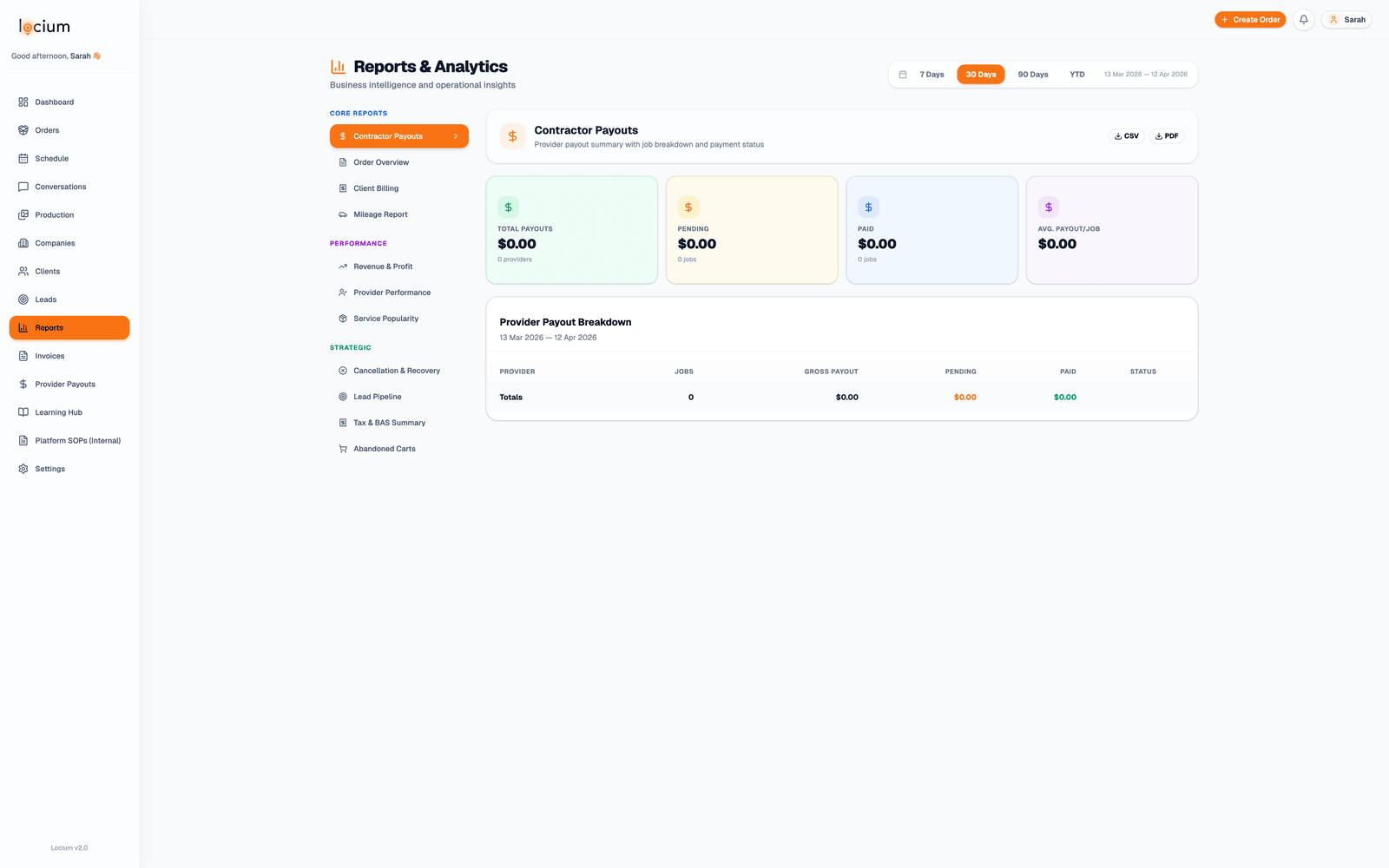
Reports & Analytics
10+ reports that run off live data, with CSV and PDF export on every one.
- •Revenue report: total, per-client, per-service breakdown
- •Bookings report: volume trends, cancellation rate
- •Provider performance: jobs completed, on-time rate, ratings
- •Client engagement: activity, repeat bookings, LTV
- •Production throughput: average turnaround time per service
- •Outstanding invoices & accounts receivable aging
- •Zone-level booking density heatmap
- •AI agent cost vs. revenue tracking
- •CSV export on all report types
- •PDF export for client-facing reports
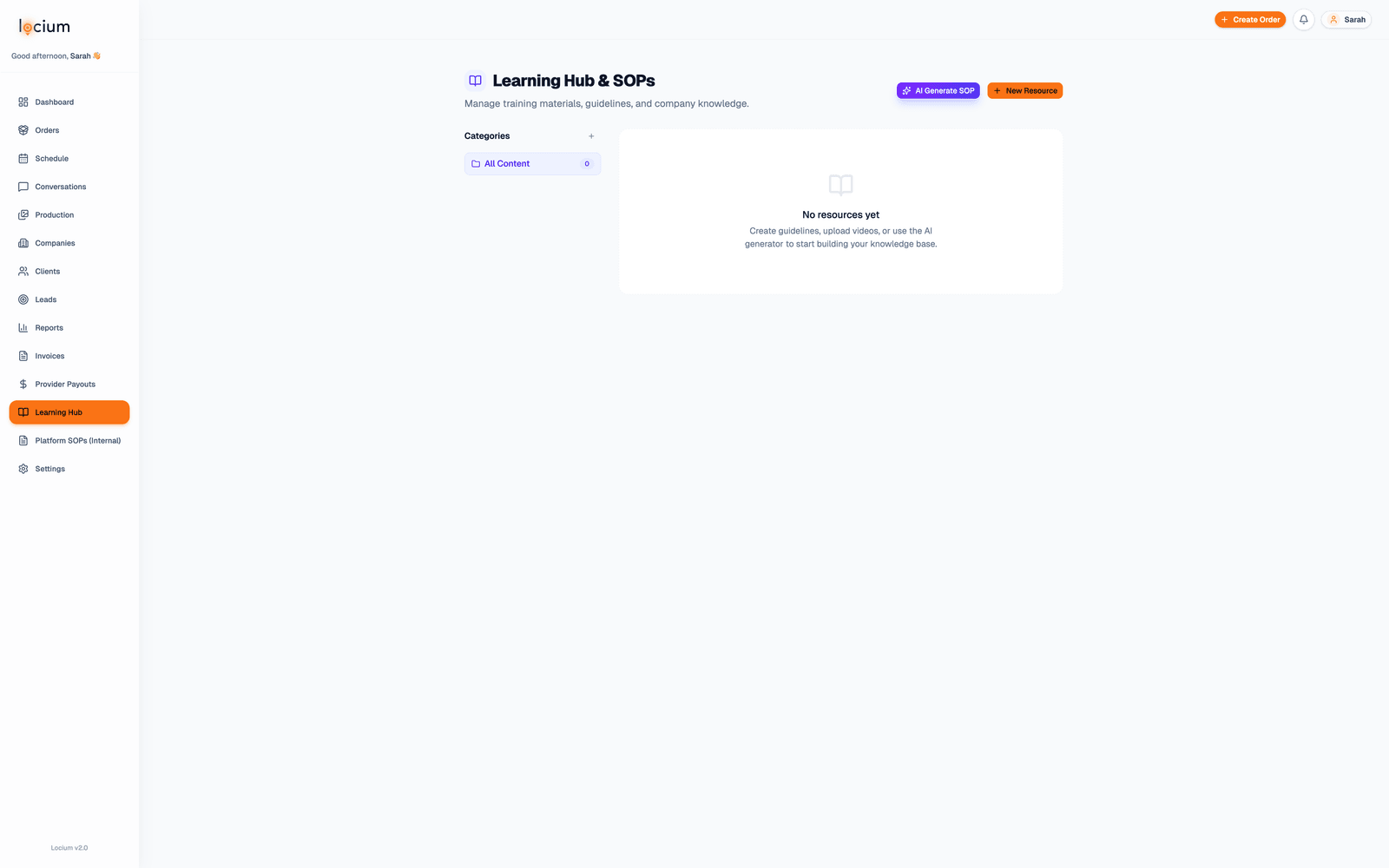
Learning Hub & Support
Training and reference material built in, so a new hire can get going without you.
- •In-app learning hub with step-by-step guides
- •Role-specific tutorials (staff, provider, client)
- •Video walkthroughs for complex features
- •Onboarding checklist for new agencies
- •In-app contextual help tooltips
- •Change log & release notes feed
- •Priority support SLA (Ultimate plan)Ultimate
The rest of it
The supporting features, from the weather tracker through to white-label branding.
CRM & Client Management
Client relationship management, without a second system to keep in sync.
- ✓Company (agency/brand) management
- ✓Individual client/agent contacts under companies
- ✓Multi-company client relationships
- ✓Client portal with role-based access control
- ✓Client activity feed and history
- ✓Property pipeline view per client
- ✓Automated booking confirmation & reminder emails
- ✓Client subscription plan management
- ✓Onboarding flow with custom welcome emails
Contractor Payouts
A payout engine for contractor photographers and editors, so payday is a report, not a spreadsheet.
- ✓Per-service payout rates for every provider: flat fee or percentageNew
- ✓Package payouts split per line item and pro-rated automatically
- ✓Weekly, fortnightly or monthly payout cycles, your choice
- ✓One-click mark-as-paid with PDF payout statements per provider per period
- ✓Provider portal earnings view: pending, paid and expected next payout
- ✓Providers only ever see their own cut — client pricing is never exposed to them
- ✓Rate queries: a provider can flag a payout for review right from their portal
- ✓Accepting Payouts toggle, so salaried staff can be booked on shoots without generating contractor payoutsNew
- ✓Recompute engine that re-runs the numbers any time, without ever touching paid payouts
Property Listing Websites
Every delivered shoot gets its own single-property website, branded to your agency.
- ✓Instant property website for every order, on a shareable public linkNew
- ✓5 design themes, switchable per listing
- ✓Listing editor for staff and clients: headline, description, features and links
- ✓Enquiry form on every site, routed to the agent with your agency in the loop
- ✓Social-ready preview cards, so links shared to Facebook or WhatsApp look right
- ✓Only delivered media ever appears — nothing leaks early
Weather Tracker
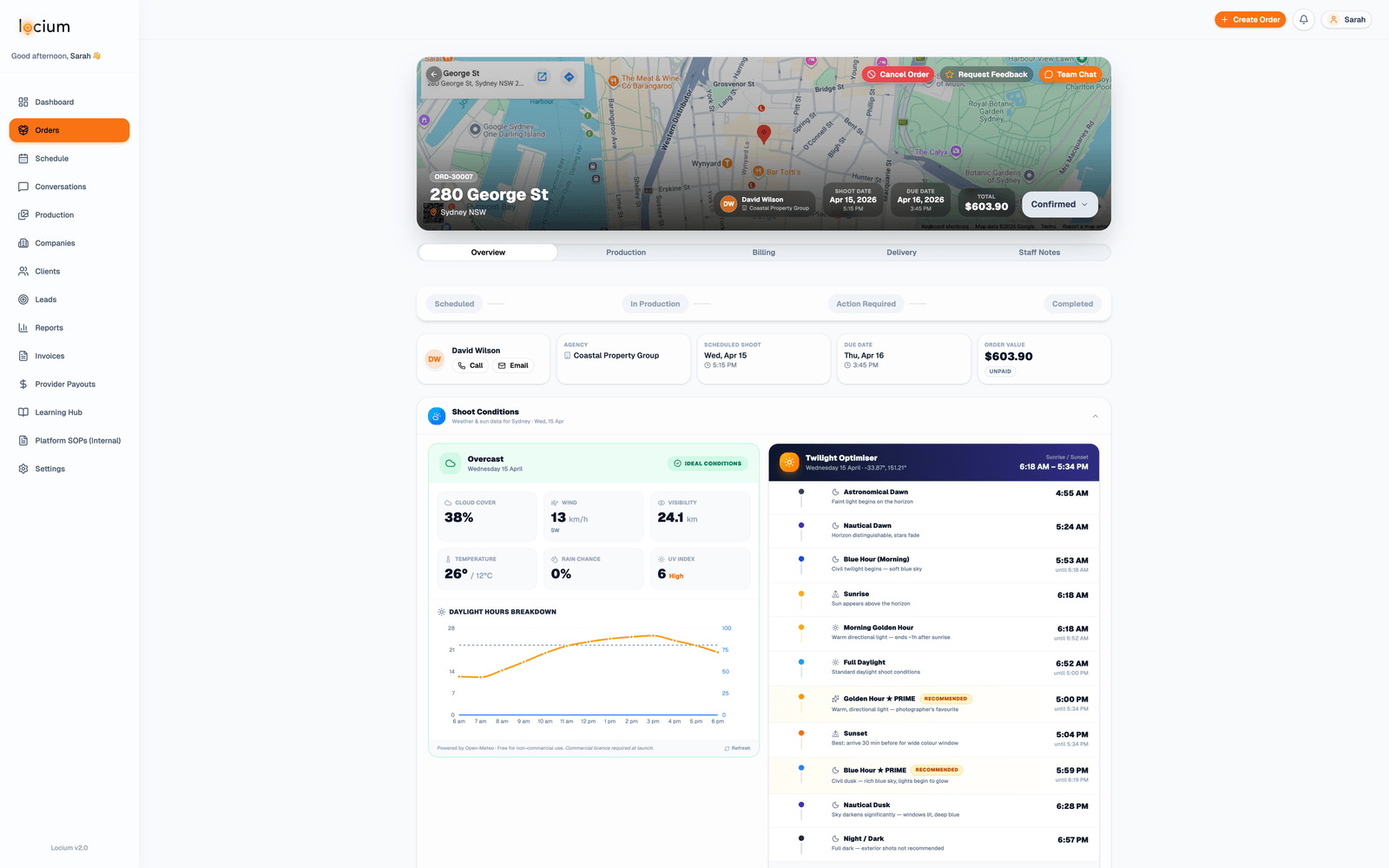
Live weather on every outdoor shoot, so nobody drives out into rain you could have seen coming.
- ✓Live weather dashboard per job location on shoot day
- ✓Rain & wind alerts sent automatically to staff and providers
- ✓Configurable weather thresholds for automatic reschedule prompts
- ✓Sunrise & sunset times surfaced per property for golden hour planning
- ✓UV index and cloud cover visibility for aerial/drone shoots
- ✓Multi-day forecast view on the scheduling calendar
- ✓Historical weather log per job for client dispute resolution
- ✓Agency-configurable cancellation rules tied to weather conditions
Project File Management
Project files live in Locium, so you are not juggling a Dropbox folder on the side.
- ✓Centralised file storage per order, so all the media sits in one place
- ✓Raw upload zones kept separate per shoot and service type
- ✓90-day automatic purge on raw files to keep storage lean
- ✓Delivered files retained permanently for client re-download
- ✓Folder structure mirrors your production workflow stages
- ✓Staff & provider upload permissions per zone
- ✓File version history, showing what was uploaded and when
- ✓AWS S3-backed storage with redundancy and global CDN delivery
AI Agents & Intelligence
Agents that handle the writing and the research, and log what each one costs you.
- ✓Listing description writer (GPT-4 powered, MLS-ready copy)
- ✓Social media caption generator (Instagram, Facebook, LinkedIn)
- ✓Property research assistant (neighbourhood, schools, amenities)
- ✓Per-agent cost tracking (tokens billed back to the job)
- ✓Client-facing AI content generator in client portal
- ✓Customizable tone & style presets per agency brand
- ✓Batch generation across multiple listings
- ✓AI output review & edit before publishing
- ✓AI photo edits in the client Edit Hub — day-to-dusk, decluttering and more, billed at your retail priceNew
Integrations
Connects to the tools your team already has open.
- ✓Stripe for native payment processing, with no middleman
- ✓Google Calendar two-way sync, blocking shoots on photographer calendars
- ✓Microsoft Outlook calendar sync for enterprise teams
- ✓Google Maps for travel time, distance matrix and address autocomplete
- ✓AWS S3 as the primary store for every upload
- ✓Resend and SendGrid for transactional email
- ✓Xero: invoices sync across automatically and Stripe payments reconcile themselvesNew
- ✓Esoft outsourced editing: link a job once and finished edits flow straight back into the orderNew
- ✓GoHighLevel for SMS and marketing automation
- ✓MCP server, so AI assistants like Claude and ChatGPT can connect to your workspaceNew
- ✓Dropbox, for automatic media backup after deliverySoon
- ✓Box.com, for enterprise file archivalSoon
- ✓QuickBooks Online invoice syncSoon
- ✓Zapier and webhooks on an open API, for custom automationUltimate
White-Label & Branding
Your logo, your colours, your domain. Clients never see ours.
- ✓Custom logo upload (light + dark variants)
- ✓Brand color palette (primary, accent, background)
- ✓White-label login screen with your own domain
- ✓Branded email templates for all transactional emails
- ✓Branded delivery portal (clients see your brand, not Locium)
- ✓White-label property website previews
- ✓Custom subdomain per agency
- ✓Remove Locium branding (Pro+ plans)
- ✓Per-agency email sender name & reply-to address
Mobile App
The parts a photographer needs on a shoot day, on the phone in their pocket.
- ✓Native iOS & Android app via Capacitor
- ✓Provider daily schedule with job order & travel sequence
- ✓Property details, gate codes & access notes on-device
- ✓File upload directly from phone/drone (photos, video, raw)
- ✓Push notifications for new job assignments
- ✓Availability management from mobile
- ✓Client portal mobile-optimised for agents on the go
- ✓Offline-ready for poor connectivity at remote properties
Access Control & Security
Role-based permissions, with a separate portal for each type of user.
- ✓Staff portal: full platform access, with granular permissions
- ✓Client portal: property delivery, bookings and billing only
- ✓Provider portal: assigned jobs, schedule and uploads only
- ✓Platform admin: super-admin with full access control
- ✓Tokenized passwordless links for agent delivery access
- ✓JWT-based session authentication
- ✓Per-agency data isolation (fully separated workspaces)
- ✓Audit trail on all critical actions
- ✓OAuth support for third-party login providers
Settings & Configuration
Enough configuration to bend the platform around how you already work.
- ✓Service zone configuration with geographic boundaries
- ✓Service catalogue: define every product, price & duration
- ✓Upsell packages that attach add-ons to a base service
- ✓Custom email templates (booking confirmed, ready for delivery, etc.)
- ✓Per-notification delivery matrix: choose App, Email or Text for every notification typeNew
- ✓SMS notifications for booking reminders and media delivery
- ✓Team member management & role assignment
- ✓Provider profile management with skills & certifications
- ✓Data import tool with AI-assisted field mapping
- ✓Webhook endpoint configuration
- ✓API key management for integrations
One platform. Three experiences.
Each type of user gets the interface built for their job, and nothing else.
Staff Portal
Full command centre for your agency team.
- ✓ Orders & production management
- ✓ Smart scheduling calendar
- ✓ Finance & invoicing
- ✓ Reports & analytics
- ✓ CRM & client management
- ✓ AI agents & integrations
Client Portal
Branded experience for real estate agents.
- ✓ Passwordless media delivery
- ✓ Photo & video revision requests
- ✓ New order booking
- ✓ Invoice payment
- ✓ AI listing content generator
- ✓ Property pipeline view
Provider Portal
Mobile-first app for photographers in the field.
- ✓ Daily schedule & job sequence
- ✓ Property details & gate codes
- ✓ File upload from mobile
- ✓ Availability management
- ✓ Payout tracking
- ✓ Learning hub access
See it with real data.
These are screenshots of our live demo account, with real orders and real properties in it.
Production Board
Revenue Analytics
Provider Schedule
Media Editing Hub
Ready to put this
to work in your agency?
Sign up today and take a look around. You only pay when you deliver to your clients.