Where it hurts: The office

Busy isn’t the same as profitable.

You worked six days last week. Was it the twilights that paid, or the long drives to the coast that cost you? The answer is spread across four apps.

The short answer

Reports run on live data: booked, invoiced, paid, payouts and profit, by client, service and photographer.

How Locium handles it

Three steps, on the real screens.

Mon 7:00 am

Revenue and profit at a glance

Invoiced, collected and still waiting, GST, what you paid out and what you keep, for any period you pick.

More at this step · 2
  • Revenue report: total, per-client, per-service breakdown
  • Outstanding invoices & accounts receivable aging
Mon 7:05 am

By client and by person

See which clients bring the most in, and each person’s jobs beside what they were paid.

More at this step · 3
  • Client engagement: activity, repeat bookings, LTV
  • Provider performance: jobs completed, on-time rate, ratings
  • Production throughput: average turnaround time per service

Mon 7:10 am

The costs you don’t see

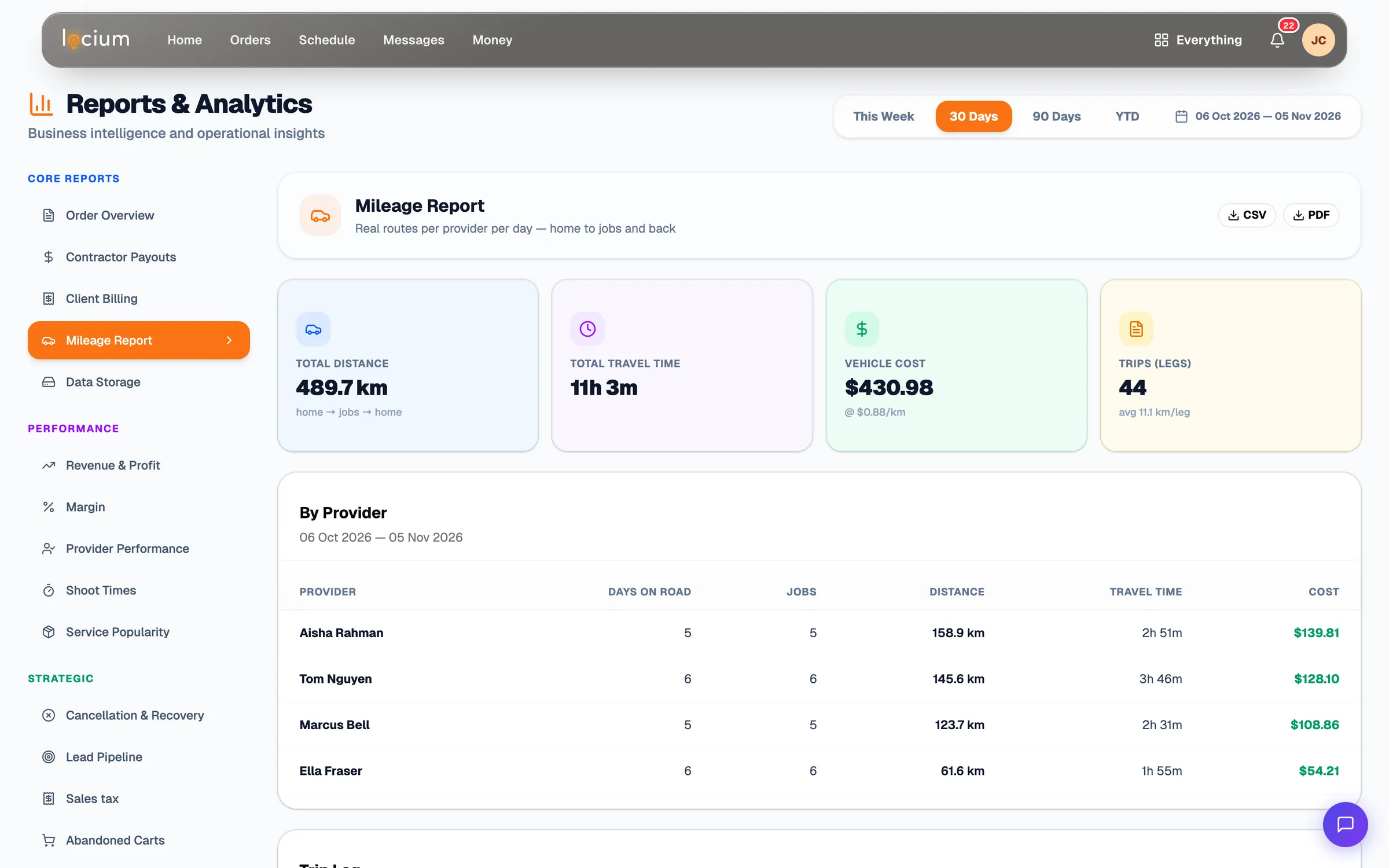
Mileage, cancellations and abandoned bookings each get a report, with CSV and PDF export on every one.

Mileage Report, last 30 days: 489.7 km of real drive routes, the vehicle cost at the ATO rate, and each photographer's distance and drive time
More at this step · 2
  • Bookings report: volume trends, cancellation rate
  • CSV export on all report types

Try it on your next job.

Sign up, add a product and book a test shoot. No card needed, and nothing to pay on Pay as you go until you deliver.